
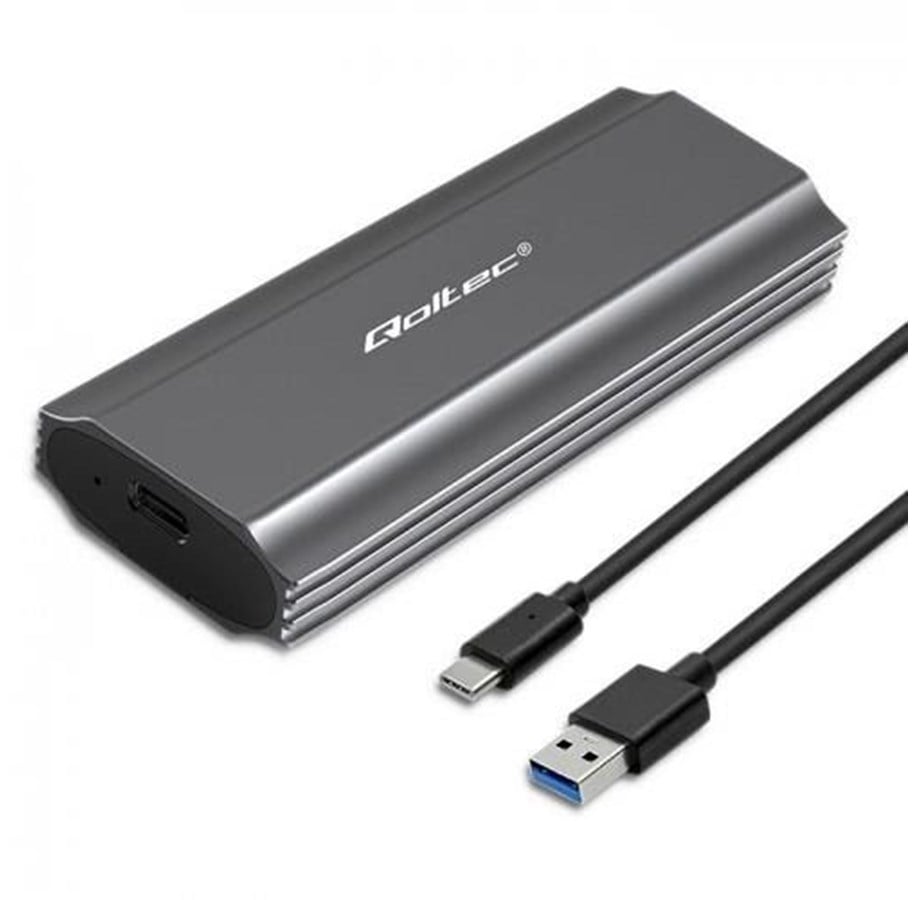
Qoltec NV2271 SSD-kabinett - M.2 SATA/NVMe - USB-C 3.1 Gen 2 - Grå
SSD-kabinett Qoltec NV2271 gir USB-C 3.1 Gen 2-tilkobling, opptil 10 Gbit/s dataoverføring, M.2 SSD-støtte og et grått aluminiumsdesign.
Dette lagringskabinettet støtter SATA- og NVMe-lagringsgrensesnitt og er bygget for én M.2 SSD, med Plug and Play-oppsett, UASP-støtte og USB-drevet drift for enkel daglig bruk.
OTG-støtte og medfølgende USB- og USB Type-C-kabler gjør det praktisk for rask filtilgang, dataoverføring og fleksibel lagringshåndtering hjemme, på jobb eller på farten.
WE CREATE SOLUTIONS THAT MAKE A DIFFERENCE IN EVERYDAY LIFE
Qoltec's SSD Drive Pocket is the ideal solution for those looking for mobile and easy-to-use data storage options, and is an interesting alternative, not only for those with documents or private files on disks, but also for small businesses wishing to archive their computer data without investing in other costly solutions.
DATA TRANSFER OF UP TO 10GB/S
The M.2 drive enclosure from Qoltec is a :
- suitable for M.2 SSD NVMe with M-Key and SATA with B+M-Key with sizes : 2230, 2242, 2260, 2280,
- UASP support, allows multiple commands to be executed at the same time,
- OTG support, works with laptops and smartphones
- USB 3.1 Gen2 interface enables data transfer at a speed of 10 Gb/s,
- device is compatible with USB 3.1 Gen1 and USB 2.0,
- LED indicates copy status,
- Single M.2 drive supports up to 2TB,
- Useful when there is no other way to connect an SSD,
- USB cable included,
- No need to install drivers, simply plug into a USB port and use thanks to the simplicity of the Plug&Play function.
MAXIMUM MOBILITY IN AN ELEGANT ALUMINIUM HOUSING
The compact and handy enclosure for your M.2 SSD is a stylish protection for your valuable data. The case is made of high-quality aluminium, which further helps to dissipate heat. The compact size of the enclosure will allow you to take it with you to work or wine places, the pocket fits easily into a backpack. The durable enclosure provides effective protection against crushing and prevents any damage to the drive.
SUPPORT FOR M.2 SATA AND NVME DRIVESTo install the SSD, you don't need any special tools, simply slide out the case, insert the drive accordingly and slide it back into the case. Once you have connected the pocket to the device of your choice, you can get started, the device is ready for operation.
Lagringsmedium
Tilkoblingsevne
Design
Ytelse
Energihåndtering
Systemkrav
Vekt og dimensjoner
Emballasjeinnhold
Tekniske detaljer
Ovenstående informasjon/spesifikasjoner er veiledende og kan uten varsel bli endret av produsenten. Det tas forbehold om trykkfeil og illustrerende bilder. Enkelte tekster kan være autogenerert eller maskinoversatt, så derfor kan det forekomme tekster som virker misvisende.